• Welcome to ASR. There are many reviews of audio hardware and expert members to help answer your questions. Click here to have your audio equipment measured for free!

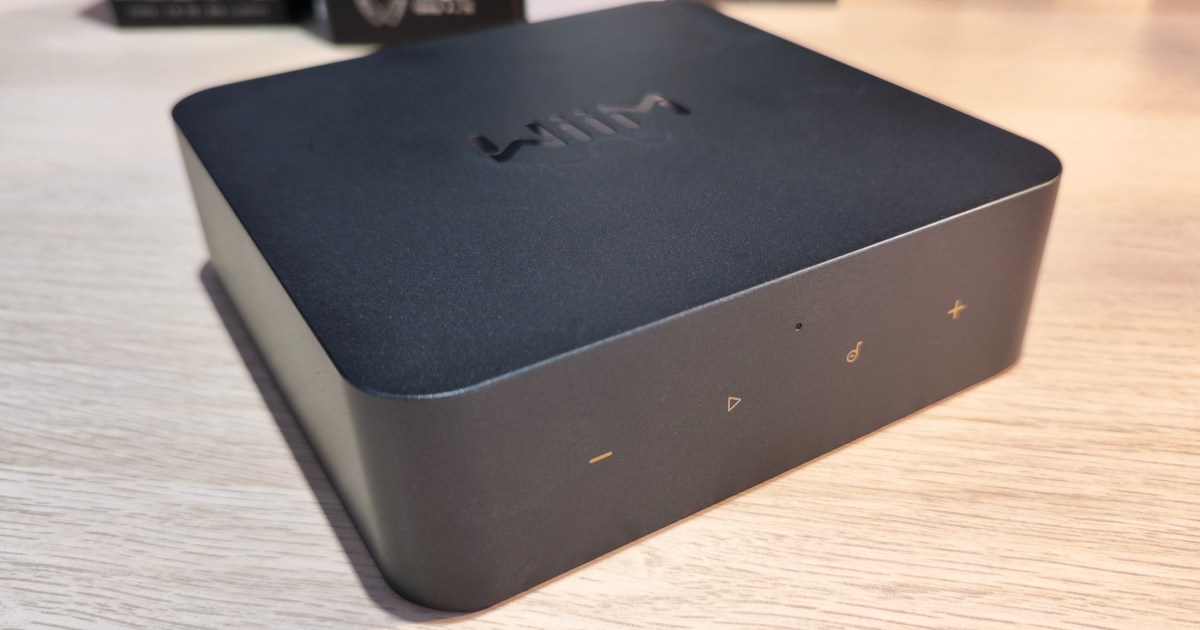
WiiM Pro Streamer

Please confirm something for me. That is, one of the main pain-points with existing streamers is that they do not allow for playing downloaded music in the streaming services (Spotify, Tidal). By download, the idea is to avoid internet connection troubles, no more worries about WIFI speed and all the fuss. So, as an extra-cautious measure for quality, I would like to play Tidal downloaded music via my Wiim Pro.
1st question: I understand that is doable via Tidal Connect, right ?
2nd question: When using Tidal Connect (or Spotify Connect) with Wiim Pro, is that 'chromecasted' or else ? I mean, is there any downside regarding quality ?
 
Please confirm something for me. That is, one of the main pain-points with existing streamers is that they do not allow for playing downloaded music in the streaming services (Spotify, Tidal). By download, the idea is to avoid internet connection troubles, no more worries about WIFI speed and all the fuss. So, as an extra-cautious measure for quality, I would like to play Tidal downloaded music via my Wiim Pro.
1st question: I understand that is doable via Tidal Connect, right ?
2nd question: When using Tidal Connect (or Spotify Connect) with Wiim Pro, is that 'chromecasted' or else ? I mean, is there any downside regarding quality ?
1 Have not tested but should be doable using Tidal Connect - will test this later today!
2 No it is not chromecasted, they have builtin Tidal Connect and you should have no downside in sound quality

I own a Bluesound Node N130, a Wiim Pro and a Wiim Mini and I have not noticed any differences in using the players Tidal App
or using Tidal Connect. I have however noticed some problem with Tidal connect where it just loses connection with the streamer
and the music keeps goin on the streamer but Tidal Connect has no idea of this. Solution to this problem is often managed by closing the Tidal
app on you my android phone or my android tablet. Sometimes it is enough to just reconnect in the Tidal app but if not I need to restart the app.
This is not specific to any of the streamers since the problem occurs both in the Bluesound and the Wiim streamers
 
If you go to offline mode in Tidal you play the downloaded music on your device only. Without wifi network Tidal can't connect ( to any other network speaker/ streamer/device). You may want to use bluetooth instead.
 
If you go to offline mode in Tidal you play the downloaded music on your device only. Without wifi network Tidal can't connect ( to any other network speaker/ streamer/device). You may want to use bluetooth instead.
Yes but what about playing offline material using Tidal Connect between a phone and a streamer on a home network with no internet?
 
Please confirm something for me. That is, one of the main pain-points with existing streamers is that they do not allow for playing downloaded music in the streaming services (Spotify, Tidal). By download, the idea is to avoid internet connection troubles, no more worries about WIFI speed and all the fuss. So, as an extra-cautious measure for quality, I would like to play Tidal downloaded music via my Wiim Pro.
1st question: I understand that is doable via Tidal Connect, right ?
2nd question: When using Tidal Connect (or Spotify Connect) with Wiim Pro, is that 'chromecasted' or else ? I mean, is there any downside regarding quality ?

Unlikely. Tidal Connect is designed for the streamer to fetch music directly from Tidal. The phone acts as a remote and can be turned off and the streamer can still continue to play. The downloaded content resides on the phone, thus does not participate in the streaming.
 
Is it just me or Forward/Back buttons on the remote indeed do nothing when casting playlists or albums via Chromecast? Play/Stop button works as expected, so the remote is functional.
 
^^That looks like the Yamaha A/V Controller app. If you check this link, it looks like your AVR supports Musiccast, perhaps try downloading the app:

Thanks for the idea, but Qobuz does not show up on the Musiccast app either. Looks like it must be the AVR firmware that is the limiting factor. An update seems unlikely, the RX-A670 is discontinued. Thanks again though.
 
7B69792B-565E-4D7A-8389-1761A0E705F1.jpeg
 
That fixes many of the issues I was experiencing (hopefully). There were so many issues with Tidal that I was thinking about going back to Chromecast Audio.
Tidal got issues mainly while playing and adding songs to the playlist at the same time. At least mine did
 
Tidal got issues mainly while playing and adding songs to the playlist at the same time. At least mine did
Thanks for replying. I don't change my playlist at all, so a little different. However, I do skip tracks and change volume.
 
Hi, hoping someone can help me with my question about Wiim Pro.
Is there a way to update my music library (flac files hosted on my pc)?
I added a couple of albums, and deleted a couple -- but the changes have not taken effect.
I assumed it just updated automatically in the Wiim app, but so far that's not the case.
My SONOS app has a button for updating the music library, but I can't find one on the Wiim app.
Thanks
 
Back
Top Bottom