
-
WANTED: Happy members who like to discuss audio and other topics related to our interest. Desire to learn and share knowledge of science required. There are many reviews of audio hardware and expert members to help answer your questions. Click here to have your audio equipment measured for free!
You are using an out of date browser. It may not display this or other websites correctly.
You should upgrade or use an alternative browser.
You should upgrade or use an alternative browser.
Topping G5 - Is the battery serviceable ?
- Thread starter Rja4000
- Start date

I just bought a G5.
So far I like it
Is there a way to use the G5 in “bypass” mode, so it will draw all its power from USB?
Or in other words, what would be the best way to use it in desktop mode to conserve the battery?
G5 is amazing. I like mine a lot too. I've been using mine a lot since I got it. Every day, maaany many hours per day.
To your question: no, unfortunately there's not a way to bypass the battery.
There is a solution though!
First a bit of background info is needed (some things might seem random - they're not, everything's important... you'll see by the end!)
So, the G5 pulls 1.35A at 5V through USB to charge its battery (as long as the charger is capable of delivering that much current)
.
The internal battery is 7.4V nominal, 4000mAh, which equates to approximately 30Wh. When charging at about 7 watts, the battery takes 2 hours to reach 50% from 0%, 5 hours to 100% (the top takes more time, but since the 7W charge rate is less than 25% of the 30W battery capacity, the top doesn't take much more time at all (like phones do which charge "fast" at 15W and have 15Wh battery - in their case, only the bottom 70% fills up at 15W. You reach 70% in about 40m, but it's another 40-50m until you get to 100% (and that's when the battery's new!))).
Some little known but possibly the most useful information you'll come across this month if you don't already know (almost nobody does...)
Charging from 0% to 100% causes 1.00 damage, charging from 0 to 50% causes only 0.07 damage!
(yes, that means you can charge 0 to 50% 14 times for every 0 to 100%, effectively making your battery's life SEVEN times longer!)
The way I see it, you can either: charge G5 all the way up and leave him there, and make sure he's externally powered so that he's always on. That way, whenever you start up your PC/phone/whatever, the battery doesn't get topped up over and over again. Why are you trying to avoid that? Because! Going from 94% to 100% does 50 damage!!!, 97 to 100 does 32 damage!)
(another point is 85% to 100% is 70 damage)
Personally I don't like that first option because, well.. it sucks! What I do is, when I'm at home using the thing (at PC or whatever), I charge it to 50%, then unplug the power until G5 goes dead (the power light turns red and you're at 2-3%, it turns off 15 minutes after green goes to red). Then I charge to 50% (which takes about 2h 30 to 2h 45m (depending on which mode you're in -USB/BT/nun - ask for details if you care).
Even with continual use you should get a few years out of the internal battery before G5 needs replacing (unless you're home 24/7 and an insomniac lol)
In 4-5 years, hopefully there will be new similar performing options available, and then you can relegate G5 with its dwindling battery to desk duty only!
If the world goes to crap you'll have to find a new battery for your G5.
BTW you can do this with your phone (and anything with a lithium battery - laptops, even cars!). For phones there's an app called accubattery (for android) which will chime when your phone reaches your desired max % (I suggest 64% to get the most for the least) It tracks damage from usage (1.00 is a 0% to 100% charge), and how much original capacity is remaining in your phone's battery over time.
I've used the app since 2017 and since then have never had a problem with any phone battery. One of my current phones is now 49 months old, I've charged it every day, and it still has 90% of its original capacity. At it's current rate of degradation, it'll last (used the same way) for another
5 years!!!
Side note: I recommend finding a G5 replacement battery sooner than later, and putting it away, storing it at 40%, and cycling it to 0% and back up to 40% every 8-12 months to keep it as close to new condition for as long as possible.
Long post! Lmk if you have any questions
It's a lot of work, at this point if I don't own a HE6 SE I would just go with the tanchjim space full time on my laptop setup.G5 is amazing. I like mine a lot too. I've been using mine a lot since I got it. Every day, maaany many hours per day.
To your question: no, unfortunately there's not a way to bypass the battery.
There is a solution though!
First a bit of background info is needed (some things might seem random - they're not, everything's important... you'll see by the end!)
So, the G5 pulls 1.35A at 5V through USB to charge its battery (as long as the charger is capable of delivering that much current)
.
The internal battery is 7.4V nominal, 4000mAh, which equates to approximately 30Wh. When charging at about 7 watts, the battery takes 2 hours to reach 50% from 0%, 5 hours to 100% (the top takes more time, but since the 7W charge rate is less than 25% of the 30W battery capacity, the top doesn't take much more time at all (like phones do which charge "fast" at 15W and have 15Wh battery - in their case, only the bottom 70% fills up at 15W. You reach 70% in about 40m, but it's another 40-50m until you get to 100% (and that's when the battery's new!))).
Some little known but possibly the most useful information you'll come across this month if you don't already know (almost nobody does...)
Charging from 0% to 100% causes 1.00 damage, charging from 0 to 50% causes only 0.07 damage!
(yes, that means you can charge 0 to 50% 14 times for every 0 to 100%, effectively making your battery's life SEVEN times longer!)
The way I see it, you can either: charge G5 all the way up and leave him there, and make sure he's externally powered so that he's always on. That way, whenever you start up your PC/phone/whatever, the battery doesn't get topped up over and over again. Why are you trying to avoid that? Because! Going from 94% to 100% does 50 damage!!!, 97 to 100 does 32 damage!)
(another point is 85% to 100% is 70 damage)
Personally I don't like that first option because, well.. it sucks! What I do is, when I'm at home using the thing (at PC or whatever), I charge it to 50%, then unplug the power until G5 goes dead (the power light turns red and you're at 2-3%, it turns off 15 minutes after green goes to red). Then I charge to 50% (which takes about 2h 30 to 2h 45m (depending on which mode you're in -USB/BT/nun - ask for details if you care).
Even with continual use you should get a few years out of the internal battery before G5 needs replacing (unless you're home 24/7 and an insomniac lol)
In 4-5 years, hopefully there will be new similar performing options available, and then you can relegate G5 with its dwindling battery to desk duty only!
If the world goes to crap you'll have to find a new battery for your G5.
BTW you can do this with your phone (and anything with a lithium battery - laptops, even cars!). For phones there's an app called accubattery (for android) which will chime when your phone reaches your desired max % (I suggest 64% to get the most for the least) It tracks damage from usage (1.00 is a 0% to 100% charge), and how much original capacity is remaining in your phone's battery over time.
I've used the app since 2017 and since then have never had a problem with any phone battery. One of my current phones is now 49 months old, I've charged it every day, and it still has 90% of its original capacity. At it's current rate of degradation, it'll last (used the same way) for another
5 years!!!
Side note: I recommend finding a G5 replacement battery sooner than later, and putting it away, storing it at 40%, and cycling it to 0% and back up to 40% every 8-12 months to keep it as close to new condition for as long as possible.
Long post! Lmk if you have any questions
It's a lot of work, at this point if I don't own a HE6 SE I would just go with the tanchjim space full time on my laptop setup.
The G5 is a portable device.
I listed how to exactly maximize its battery life for near-full time stationary use.
And like I said, using a separate power supply (like a phone charger) to power the G5, and leaving it on all the time for full time stationary use, is hardly "a lot of work"
It is a portable only if battery is still good. So keeping the battery at 100% at all time and keep charging and draining at same time is easy but not good for battery.The G5 is a portable device.
I listed how to exactly maximize its battery life for near-full time stationary use.
And like I said, using a separate power supply (like a phone charger) to power the G5, and leaving it on all the time for full time stationary use, is hardly "a lot of work"
Elitzur–Vaidman
Addicted to Fun and Learning
- Joined
- Jul 13, 2022
- Messages
- 508
- Likes
- 537
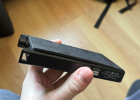
Looks like a prime teardown candidate if you're not afraid to handle the spicy pillow.Here's what I woke up to.
Guess this answers many questions you guys had in mind.

Rorschach
Member
- Joined
- Mar 23, 2021
- Messages
- 10
- Likes
- 15


Elitzur–Vaidman
Addicted to Fun and Learning
- Joined
- Jul 13, 2022
- Messages
- 508
- Likes
- 537
Looks like you can get close to a drop-in replacement from amazon or aliexpress.
Rorschach
Member
- Joined
- Mar 23, 2021
- Messages
- 10
- Likes
- 15
Looks like you can get close to a drop-in replacement from amazon or aliexpress.
So you think it is a Li-Po battery, not Li-ion?
Elitzur–Vaidman
Addicted to Fun and Learning
- Joined
- Jul 13, 2022
- Messages
- 508
- Likes
- 537
Yeah. To be honest I just checked the markings on the battery and googled PN 805080. I found a whole mess of 8mmx50mmx80mm 4000mAh 3.7V batteries, so I think its a semi-standard battery type.So you think it is a Li-Po battery, not Li-ion?
Rechargeable LiPoly Battery LP805080 3.7V 4000mAh
Rechargeable LiPoly Battery LP805080 3.7V 4000mAh with Protection Circuit & JST Connector
 www.lipoly-battery.com
Absolutely NON SENSE. If you use your phone or pad or laptop until battery dies, then put it in storage for a year, you will need to replace the battery period.What are you confused about? I described battery longevity and how to maximize it...
If you have a phone with a battery that would last 500 charges of 0 to 100%
If you were to charge that phone to only 85% each time, you would then get >1,500 charges out of it (1,667 to be more precise).
Imagine that battery is 1000mAh in capacity. 100% would give you 1000mA for 1 hour. If you multiply that 1000mAh by the 500 charges you would get, the battery would store 500,000mAh over its lifetime being charged to 100%
If you were to charge that battery to only 85% each time and got 1,667 cycles, you would multiply 850mAh by the 1,667 cycles, and you'd get 1,416,950mAh
1,416,950 / 500,000 = 2.83
By charging to 85%, the battery will be able to store 2.83 times the energy over its lifespan, compared to being charged to 100%
Pretty great news, eh?`
Eh???!
It is! And it gets better! If you charge to only 75% (...continuing from the example above), which is 750mAh, the battery would be able to store 2,499,975 mAh over its lifetime!
This is because the damage (wear) done to a lithium battery when charged to 75%, is 0.15 that of a 100% charge.
1 / 0.15 * 500,000 gives the large number above. 1 / 0.15 can also be multiplied by the number of charges the battery is capable of when being charged to 100% (500) to give how many times it can be charged to only 75%.
The answer is 3,333 times.
Even though 3,333 / 500 is 6.67 times more charge cycles, because the capacity of each of those cycles is smaller, (75%), you only get ~ 5 times the capacity.
This is hardly a bad thing though... For charging 33% more often, you get a battery that will last you FIVE FLIPPIN TIMES LONGER!
And it doesn't stop there!!!
Lowering to 65% gives you about the same amount again!
But past that point, the wear is about the same - basically, the best target to charge devices to is the low 60% range. Unless you need more continuous runtime for some reason...
Here's the math for 65%
1 / 0.07 * 500,000 = 7,142,857mAh is the total amount of power you would store in the battery over its lifespan by charging it to only 65% capacity.
65%: 7,142,857mAh in 10,989 cycles
75%: 4,999,975mAh in 6,667 cycles
85%: 1,416,950mAh in 1,667 cycles
100%: 500,000mAh in 500 cycles
Charging to only 65% gives you 7,142,857 / 500,000, or 14.29 times more lifetime energy storage. 10,989 cycles / 500 cycles is 21.98 times more cycles.
21.98 / 14.29 = charging 1.54 times more often for 14.29 times more energy storage...
Charge to 65%!!!!!
About your comment:
Keeping a sealed lead acid (SLA) battery empty is the fastest way to kill it. SLA batteries are car batteries, UPS batteries, boat batteries, solar storage batteries, tractor batteries etc. etc.
Pretty much all other batteries (including lithium ion), do not suffer for being left partially charged. Or even empty...
Rorschach
Member
- Joined
- Mar 23, 2021
- Messages
- 10
- Likes
- 15
How do I source this though?Rechargeable LiPoly Battery LP805080 3.7V 4000mAh
Rechargeable LiPoly Battery LP805080 3.7V 4000mAh with Protection Circuit & JST Connector
Know any amazon europe or aliexpress replacement for this one?
not sure. the link I gave if you scroll down to the bottom of the text, the bottom right, has a fill out your info for a quote link. I forgot the name of the website but there's another similar to this one where you basically do the same thing.
Elitzur–Vaidman
Addicted to Fun and Learning
- Joined
- Jul 13, 2022
- Messages
- 508
- Likes
- 537
I included an AliExpress link above.How do I source this though?
Know any amazon europe or aliexpress replacement for this one?
Absolutely NON SENSE. If you use your phone or pad or laptop until battery dies, then put it in storage for a year, you will need to replace the battery period.
The amount of damage done to a SLA battery discharging it to 80% and left there for 1 day before recharging, is half the damage it would receive if it was left at 80% for two days.
Another way: If cycles discharging a SLA battery to 80% and leaving it there for 1 day before recharging is 8,000, cycles discharging a SLA battery to 80% and leaving it there for 2 days before recharging is 4,000.
Another way and a little more extreme: A brand new, properly transported and stored 10Ah SLA battery discharged to 20% and left there for a month, would be, for most intents and purposes, described as "effectively broken" afterwards.
(Details: At the end of that month you'd still have 19% remaining... but after, the 10Ah battery would have an effective size of maybe 5Ah, and the voltage drop from loads would be 4-10x higher than before damage. Also, voltage would collapse under load sooner - related to this, the more current drawn, the more damaged the battery would appear (ie. with increasing current, is increasing droop from original).
Lithium-Ion version of above: A brand new, properly transported, stored, and initialized for use 10Ah Li-Ion battery (that is "ie.": it arrived between 15% and 40% charged, then charged to full% by the user), and then discharged to 20%/left there for 1 month, would be, after that one month, in essentially the same condition afterwards. There would be 3-10x less self-discharge, so ~19.8% charge remaining. And the 10Ah battery would be the same effective capacity. And the voltage drop from loads would be identical.
I'm wondering: Why are you talking about letting a lithium ion battery get destroyed by putting it away for a year at near empty so that self-discharge brings all cells to under 2.0V per cell (where degradation/damage occurs preeeetty quiiiicklyyy)....? Why am I wondering? Misuse of a battery isn't the same as the general characteristics of batteries
Because you or someone else saying it's not the case?The amount of damage done to a SLA battery discharging it to 80% and left there for 1 day before recharging, is half the damage it would receive if it was left at 80% for two days.
Another way: If cycles discharging a SLA battery to 80% and leaving it there for 1 day before recharging is 8,000, cycles discharging a SLA battery to 80% and leaving it there for 2 days before recharging is 4,000.
Another way and a little more extreme: A brand new, properly transported and stored 10Ah SLA battery discharged to 20% and left there for a month, would be, for most intents and purposes, described as "effectively broken" afterwards.
(Details: At the end of that month you'd still have 19% remaining... but after, the 10Ah battery would have an effective size of maybe 5Ah, and the voltage drop from loads would be 4-10x higher than before damage. Also, voltage would collapse under load sooner - related to this, the more current drawn, the more damaged the battery would appear (ie. with increasing current, is increasing droop from original).
Lithium-Ion version of above: A brand new, properly transported, stored, and initialized for use 10Ah Li-Ion battery (that is "ie.": it arrived between 15% and 40% charged, then charged to full% by the user), and then discharged to 20%/left there for 1 month, would be, after that one month, in essentially the same condition afterwards. There would be 3-10x less self-discharge, so ~19.8% charge remaining. And the 10Ah battery would be the same effective capacity. And the voltage drop from loads would be identical.
I'm wondering: Why are you talking about letting a lithium ion battery get destroyed by putting it away for a year at near empty so that self-discharge brings all cells to under 2.0V per cell (where degradation/damage occurs preeeetty quiiiicklyyy)....? Why am I wondering? Misuse of a battery isn't the same as the general characteristics of batteries
Why quote me if someone else says something?Because you or someone else saying it's not the case?
Similar threads
- Replies
- 9
- Views
- 1K
- Replies
- 10
- Views
- 995

- Replies
- 10
- Views
- 2K

- Replies
- 9
- Views
- 1K
