• Welcome to ASR. There are many reviews of audio hardware and expert members to help answer your questions. Click here to have your audio equipment measured for free!

Topping DX5 II

Hello. New member here. Just joined and just purchased my first DAC and headphone kit, DX5II + Hifiman Edition XS. I searched the internet for info on the DAC and found this forum and thread. After reading and skimming through several helpful pages/comments, I was able to learn quite a bit and prompted me to do more research as well. If I understand correctly my serial number for the DAC starts with 26, so I think that means a newer unit that has been updated to protect the short-circuit issue associated with the 4.4mm port? I have no idea when this unit was manufactured, but I did buy new from the Toppings store on Amazon. I do have my XS connected to the 4.4mm port and read the warning not to hot pull or put the cable just in case. So for now I just leave the 4.4mm connected at all times regardless if th unit is powered on or off. Other than keeping that in mind, so far so good for a first few days of exploration and operation.

Chances are if you purchased it recently from the official Topping store on Amazon, you probably have a newer HW iteration. When you receive the DX5 II (if you haven't already), download Topping Tune from the Topping website, boot the software, open the settings window, and see if it recognizes your unit. The relevant information will be on the right-hand side of the settings window (shown above in post #3,473). That's the only way to see which HW version you have, but not everyone has had success with Topping Tune these days (I think they're phasing it out in favour of the newer Home app).

If the installed FW on the device is 2.31 or earlier, then you might not have any trouble checking in Topping Tune. If you update to the latest FW after that, you may not be able to use Topping Tune anymore, but that's sort of moot since they've officially removed the DX5 II from the list of compatible devices anyway. It's just my opinion, but I think the Home app is a lot better than Topping Tune, so you're not really going to miss anything using Home.
Thank you. I’m on my fifth day with the DAC. Not sure which firmware update rendered Topping Tune inoperable ( there have been a few) but I can no longer connect to Topping Tune. I am on macOS 27 and had wondered if that had something to do with it. Their Cloud UI however has worked out well for me. I’ve already loaded a few EQ profiles for the XS and this interface helped me to learn about High vs Low Gain. I downloaded the mobile app as well and started to learn about Crossfeed which doesn’t seem to be available on the Cloud UI. I was forced to download the Home App with the latest firmware update via the Cloud UI and seems the Topping Home app is the Cloud UI? Found this device summar ( below), but no additional device info like post #3,473.

DX5Ⅱ firmware update​

Device
DX5Ⅱ
Current Version
V2.58
Latest Version
Up to date

Edit, the mobile app lists more device data: In my case, XMOS Firmware V2.58/ MCU Firmware V2.58/ Bluetooth Firmware V1.01

You could temporarily roll back the FW:


Download v2.31 first from the link, then download the FW from the link highlighted in Step 4. I think you roll back to v2.46 first, then then roll back again to v2.31. At that time, you might/should be able to connect to Topping Tune, but a) only do this if you feel comfortable and b) double check that the information I've said here is accurate.

I'm not sure why it doesn't work because some people don't seem to have an issue connecting to Topping Tune. It might depend on the FW, computer platform, and HW version. I said bye to Topping Tune the moment they made the Home app available for the DX5 II (previously, only the E50 II was compatible with Home).

By Cloud UI, do you mean the Home web control centre? In the web app, the Crossfeed button is the blue button with the headphone icon, and S4 text (S4 is the setting I am using):

HomeWeb.png


The Home app, either version, does not show the HW version of the device, sadly. It might be worth asking them if they could include it (I will try to remember to ask them).

Edit: I have e-mailed Topping to ask if they could include the HW version in the Home app's Device Info section.
 
Last edited:
You could temporarily roll back the FW:


Download v2.31 first from the link, then download the FW from the link highlighted in Step 4. I think you roll back to v2.46 first, then then roll back again to v2.31. At that time, you might/should be able to connect to Topping Tune, but a) only do this if you feel comfortable and b) double check that the information I've said here is accurate.

I'm not sure why it doesn't work because some people don't seem to have an issue connecting to Topping Tune. It might depend on the FW, computer platform, and HW version. I said bye to Topping Tune the moment they made the Home app available for the DX5 II (previously, only the E50 II was compatible with Home).

By Cloud UI, do you mean the Home web control centre? In the web app, the Crossfeed button is the blue button with the headphone icon, and S4 text (S4 is the setting I am using):

View attachment 564441

The Home app, either version, does not show the HW version of the device, sadly. It might be worth asking them if they could include it (I will try to remember to ask them).

Edit: I have e-mailed Topping to ask if they could include the HW version in the Home app's Device Info section.
Turns out, all I had to do was to uninstall and reinstall the Topping Tune app: Thank you for pointing out the Crossfeed button. I see that now.
Screenshot 2026-10-15 at 7.48.52 AM.png
 
Received today this little DAC/HP amp.
I’ve managed to get it working via the Bluetooth input by streaming audio from my smartphone, but I can’t get it to work at all via the optical input or when connected to a PC via USB.
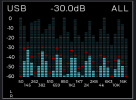
I have an Audient iD22 audio interface with an optical digital output; I connected a TOSLINK cable between it and the DX5 II’s optical digital input—nothing. There is no sound from my headphones, and the graphic EQ on the front panel is not moving.
I also tried connecting it to my PC via a USB cable, with the same result.
What am I doing wrong?

Did you make sure your sound settings on the PC are correct?
 
Received today this little DAC/HP amp.
I’ve managed to get it working via the Bluetooth input by streaming audio from my smartphone, but I can’t get it to work at all via the optical input or when connected to a PC via USB.
I have an Audient iD22 audio interface with an optical digital output; I connected a TOSLINK cable between it and the DX5 II’s optical digital input—nothing. There is no sound from my headphones, and the graphic EQ on the front panel is not moving.
I also tried connecting it to my PC via a USB cable, with the same result.
What am I doing wrong?
To add to @ziggurcat, do you get sound from the Audient with the DX5 II disconnected from it and the PC? The optical out may just be a pass-through for the optical in. That should be clarified in the manual.

On the DX5 II, input can be auto-detected. Did you try that? With the latest firmware, it is under Menu -> Advanced -> Cycle range -> Input option -> Auto-detect.
 
I deleted my previous message because the issue with the optical input only occurred when using YouTube via a web browser. When I open my DAW or play a file using Windows Media Player, the audio is correctly detected by the DX5 II.

Now I’m having trouble with the Topping Home app, I'd like to use the PEQ to correct my headphones. While I can hear audio via Bluetooth from my phone, the app doesn't detect the DX5 II. I’m currently on firmware version 2.10—should I update?

Definitely update.
 
Updated to the 2.58 firmware, but Topping Home still doesn't detect it.

I had some difficulty connecting the phone app to my DX5 II when it first became available. It's all done via Bluetooth, so make sure that's enabled on the DX5 II, and your phone. I think it took a couple of attempts of turning Bluetooth on/off, and a couple of power cycles for it to connect for me.

For the record: I hate Bluetooth so much, and this is part of the reason why.
 
Last edited:
I've been reverse-engineering the firmware, the original plan was to just improve the graphics for fun, but then I thought there might be some other cool things worth trying, any ideas?

Here's my emulator running 2.58:
 

Attachments

  • 1792771071769.png
    1792771071769.png
    10.3 KB · Views: 102
I've been reverse-engineering the firmware, the original plan was to just improve the graphics for fun, but then I thought there might be some other cool things worth trying, any ideas?

Here's my emulator running 2.58:
Simple theme editor to change color and maybe some other things.... + make it open source on github
 
How does the HP crossfeed function work? No matter which crossfeed mode I selected the HP out still only hard pans to left and right.
 
How does the HP crossfeed function work? No matter which crossfeed mode I selected the HP out still only hard pans to left and right.

You need to set the sample rate to 44.1 or 48kHz to use the cross feed function (if you don't have it set to either of those values).
 
Hi, first i wished i had read this thread before buying it... but recently i found the fix in my case. I had crackling noises and pops at random on PC (usb>xlr out to speakers) on any firmware (currently on the last 2.58). The real scary thing is when i once connected some hungry IEM, the dx5 went into protection and blasted sound at -10db on my Focal switching back to speaker output. But everything survived so far and since i removed my xlr to 4.4mm adapter on the front it doesn't do that anymore, so i suspect it was causing my issue. Anyone had the same experience?
 
Hi, first i wished i had read this thread before buying it... but recently i found the fix in my case. I had crackling noises and pops at random on PC (usb>xlr out to speakers) on any firmware (currently on the last 2.58). The real scary thing is when i once connected some hungry IEM, the dx5 went into protection and blasted sound at -10db on my Focal switching back to speaker output. But everything survived so far and since i removed my xlr to 4.4mm adapter on the front it doesn't do that anymore, so i suspect it was causing my issue. Anyone had the same experience?

Was it doing it regularly prior to removing the adapter? I'm also not sure why you would need to use an adapter if you're already using a balanced connector with your headphones.
 
Hi, first i wished i had read this thread before buying it... but recently i found the fix in my case. I had crackling noises and pops at random on PC (usb>xlr out to speakers) on any firmware (currently on the last 2.58). The real scary thing is when i once connected some hungry IEM, the dx5 went into protection and blasted sound at -10db on my Focal switching back to speaker output. But everything survived so far and since i removed my xlr to 4.4mm adapter on the front it doesn't do that anymore, so i suspect it was causing my issue. Anyone had the same experience?
Sometimes, while playing music, there are faint, instantaneous crackling sounds—very similar to the crackle you hear when playing a vinyl record—but they occur extremely rarely, so I don’t really pay them any mind. I suspect this "noise" might be coming in via the USB connection.
 
Was it doing it regularly prior to removing the adapter? I'm also not sure why you would need to use an adapter if you're already using a balanced connector with your headphones.
Yes. For convenience with the two IEMs i use the most, instead of switching constantly on the 4.4mm. I was doing the same on my DX7+ pro without issues but unfortunately this combo apparently died (trying to fix it but nothing works so far (stuck on wrong firm message))
Sometimes, while playing music, there are faint, instantaneous crackling sounds—very similar to the crackle you hear when playing a vinyl record—but they occur extremely rarely, so I don’t really pay them any mind. I suspect this "noise" might be coming in via the USB connection.
Yes i think i still have that, it's very faint but it's there, just not comparable to big pops i had before. I tried optical and doesn't seem to do that anymore. What about you, on optical or coax?
 

Then I would say that the adapter is the culprit if it no longer happens with that removed. Could be that the adapter is starting to fail. Alternatively, you could keep one pair connected to the SE output, and the other pair to the BAL output, that way you wouldn't necessarily need any adapters (outside of the standard 3.5mm to 6.35mm one), and can freely switch between the two via the remote.
 
Back
Top Bottom