Will do. I'm making a brand new image just to be sure it's completely "clean" for experiments.Try:
1. Reboot without Ethernet connected
2. Wait a minute or two
3. Connect Ethernet cable
4. Post the startup log
The log can be viewed via the SSH command moodeutl -l or downloaded via the Logs section in System Config, or via Menu, System info from any of the Config screens. The startup log will be at the end of System info output.

-
Welcome to ASR. There are many reviews of audio hardware and expert members to help answer your questions. Click here to have your audio equipment measured for free!
- Forums
- Audio, Audio, Audio!
- DACs, Streamers, Servers, Players, Audio Interface
- Home Music Servers, Computers and Streamers
You are using an out of date browser. It may not display this or other websites correctly.
You should upgrade or use an alternative browser.
You should upgrade or use an alternative browser.
moOde audio player for Raspberry Pi
- Thread starter Tim Curtis
- Start date
Try:
1. Reboot without Ethernet connected
2. Wait a minute or two
3. Connect Ethernet cable
4. Post the startup log
The log can be viewed via the SSH command moodeutl -l or downloaded via the Logs section in System Config, or via Menu, System info from any of the Config screens. The startup log will be at the end of System info output.
I've included the Startup Log. I connected with wifi when DHCP was running. Changed the IP settings to static and rebooted. No connection over wifi was possible, and the pi didn't show up on the router list of clients. I then connected ethernet and downloaded the startup log.
Thx
--------------------
20251225 160728 worker: --
20251225 160729 worker: -- Start moOde 10 series
20251225 160729 worker: --
20251225 160729 worker: Daemonize: complete
20251225 160735 worker: Linux startup: complete
20251225 160735 worker: Boot config: ok
20251225 160735 worker: Boot folder: ok
20251225 160735 worker: PHP session: cleaned
20251225 160735 worker: PHP session: loaded
20251225 160802 worker: Package locks: applied
20251225 160804 worker: File check: complete
20251225 160804 worker: Log to RAM: on
20251225 160804 worker: Tmp to RAM: on
20251225 160804 worker: Debug logging: off
20251225 160804 worker: --
20251225 160804 worker: -- System
20251225 160804 worker: --
20251225 160805 worker: Host name: Moode-110
20251225 160805 worker: RPi model: Pi-4B 1.4 2GB
20251225 160805 worker: moOde release: 10.0.2 2025-12-18
20251225 160805 worker: RaspiOS: 13.2 Trixie 64-bit
20251225 160805 worker: Linux Kernel: 6.12.47 64-bit
20251225 160805 worker: MPD version: 0.24.6
20251225 160805 worker: User id: doug
20251225 160805 worker: Home folder: /home/doug
20251225 160805 worker: Time zone: America/Denver
20251225 160805 worker: Kbd layout: us
20251225 160805 worker: HDMI ports(s): on
20251225 160805 worker: HDMI-CEC: off
20251225 160805 worker: Sys LED0: on
20251225 160805 worker: Sys LED1: on
20251225 160805 worker: Reduce power: n/a
20251225 160805 worker: Fan control: n/a
20251225 160805 worker: CPU governor: ondemand
20251225 160805 worker: --
20251225 160805 worker: -- Network
20251225 160805 worker: --
20251225 160805 worker: Eth0
20251225 160805 worker: Ethernet: adapter exists
20251225 160805 worker: Ethernet: timeout off
20251225 160806 worker: Ethernet: address not assigned
20251225 160806 worker: Wlan0
20251225 160806 worker: Wireless: adapter exists
20251225 160806 worker: Wireless: country US
20251225 160806 worker: Wireless: SSID McKnight
20251225 160806 worker: Wireless: other None
20251225 160806 worker: Wireless: timeout up to 90 secs
20251225 160806 worker: Wireless: connect to McKnight
20251225 160806 worker: Wireless: method static
20251225 160806 worker: Wireless: address 192.168.2.110
20251225 160806 worker: Wireless: netmask 255.255.255.0
20251225 160806 worker: Wireless: gateway 192.168.2.1
20251225 160806 worker: Wireless: pri DNS 192.168.2.1
20251225 160806 worker: Wireless: domain none found
20251225 160806 worker: Other
20251225 160806 worker: mDNS discover: IPv4 and IPv6
20251225 160806 worker: Hotspot proto: RSN
20251225 160806 worker: --
20251225 160806 worker: -- File sharing
20251225 160806 worker: --
20251225 160806 worker: SMB file sharing: off
20251225 160806 worker: SMB password: none
20251225 160806 worker: NFS file sharing: off
20251225 160806 worker: DLNA file sharing: off
20251225 160806 worker: --
20251225 160806 worker: -- Special configs
20251225 160806 worker: --
20251225 160806 worker: Plexamp: not installed
20251225 160806 worker: RoonBridge: not installed
20251225 160806 worker: Allo Boss 2: not detected
20251225 160806 worker: Allo Piano 2.1: not detected
20251225 160806 worker: IQaudIO DigiAMP+: not detected
20251225 160806 worker: RPi DigiAMP+: not detected
20251225 160806 worker: Bluetooth: session vars ok
20251225 160806 worker: --
20251225 160806 worker: -- ALSA debug
20251225 160806 worker: --
20251225 160806 worker: Cards: 0:vc4hdmi0 1:vc4hdmi1 2:empty 3:empty
20251225 160806 worker: 4:empty 5:empty 6:empty 7:empty
20251225 160806 worker: Mixers: 0:none 1:none 2:none 3:none
20251225 160806 worker: 4:none 5:none 6:none 7:none
20251225 160806 worker: --
20251225 160806 worker: -- Audio configuration
20251225 160806 worker: --
20251225 160806 worker: Audio device: 0
 i HDMI 1
20251225 160807 worker: ALSA card: has not been reassigned
20251225 160808 worker: MPD config: updated (iec958 device)
20251225 160808 worker: ALSA output: HDMI
20251225 160808 worker: ALSA mode: IEC958 (iec958)
20251225 160808 worker: ALSA mixer: PCM
20251225 160815 worker: ALSA init: no audio device was detected
20251225 160818 worker: ALSA volume: controller not detected
20251225 160818 worker: ALSA maxvol: 100%
20251225 160818 worker: ALSA loopback: off
20251225 160818 worker: MPD mixer Hardware
20251225 160818 worker: Integ audio: vc4-kms-v3d
20251225 160818 worker: Audio formats: Alsacap was unable to detect formats
20251225 160818 worker: CamillaDSP: off
20251225 160818 worker: CDSP volume: 0dB
20251225 160818 worker: CDSP volrange: 60dB
20251225 160818 worker: --
20251225 160818 worker: -- MPD startup
20251225 160818 worker: --
20251225 160818 worker: MPD service: started
20251225 160818 worker: MPD port 6600: accepting connections
20251225 160818 worker: MPD ALSA Default: on
20251225 160818 worker: MPD ALSA Bluetooth: off
20251225 160818 worker: MPD HTTP Server: off
20251225 160818 worker: MPD volume: 0
20251225 160818 worker: Saved MPD vol: -1
20251225 160818 worker: Saved SRC vol: 0
20251225 160818 worker: MPD crossfade: off
20251225 160818 worker: MPD ignore CUE: no
20251225 160818 worker: MPD CDSP volsync: off
20251225 160818 worker: MPD DB stats: Tracks:2 | Albums:2 | Artists:2
20251225 160818 worker: --
20251225 160818 worker: -- Music sources
20251225 160818 worker: --
20251225 160818 worker: USB drives: none
20251225 160818 worker: NVMe drives: none
20251225 160818 worker: SATA drives: none
20251225 160818 worker: NAS sources: none
20251225 160818 worker: --
20251225 160818 worker: -- Feature availability
20251225 160818 worker: --
20251225 160818 worker: Input select: available, Source: MPD, Output: Pi HDMI 1
20251225 160818 worker: Bluetooth: available, PIN: None, ALSA/CDSP maxvol: 100%/0dB, ALSA outmode: Standard
20251225 160818 worker: AirPlay: available
20251225 160818 worker: Spotify Connect: available
20251225 160818 worker: Deezer Connect: n/a
20251225 160818 worker: Squeezelite: available
20251225 160818 worker: UPnP client: available
20251225 160818 worker: Plexamp: not installed, ALSA maxvol: 100%
20251225 160818 worker: RoonBridge: not installed
20251225 160818 worker: Multiroom: available
20251225 160818 worker: GPIO buttons: available
20251225 160818 worker: Stream recorder: n/a
20251225 160818 worker: --
20251225 160818 worker: -- Security
20251225 160818 worker: --
20251225 160818 worker: Web SSH server: off
20251225 160818 worker: XSS detection: off
20251225 160818 worker: HTTPS mode: available
20251225 160818 worker: --
20251225 160818 worker: -- Peripherals
20251225 160818 worker: --
20251225 160820 worker: WebUI display: off
20251225 160820 worker: Target url: http://localhost/
20251225 160820 worker: Chromium ver: 126.0.6478.164-rpt1
20251225 160820 worker: Chromium cfg: directory ok
20251225 160820 worker: Disable GPU: off
20251225 160820 worker: PeppyALSA driver: off
20251225 160820 worker: --
20251225 160820 worker: Peppy display: off
20251225 160820 worker: Peppy disp type: meter
20251225 160820 worker: Meter(s): random
20251225 160820 worker: Meter folder: 480x320
20251225 160820 worker: Spectrum(s): 480x320
20251225 160820 worker: Spectrum folder:
20251225 160820 worker: --
20251225 160820 worker: Screen blank 600 secs
20251225 160820 worker: Wake on play off
20251225 160820 worker: Screen cursor off
20251225 160820 worker: On-screen kbd: off
20251225 160820 worker: HDMI orientation: landscape
20251225 160820 worker: HDMI CEC control: off
20251225 160820 worker: HDMI 4K 60Hz: off
20251225 160820 worker: DSI scn type: none
20251225 160820 worker: DSI port: 1
20251225 160820 worker: DSI brightness: 255
20251225 160820 worker: DSI rotate: 0
20251225 160820 worker: --
20251225 160820 worker: Triggerhappy: off
20251225 160820 worker: Rotary encoder: off
20251225 160820 worker: Encoder params: 100 2 3 23 24
20251225 160820 worker: GPIO buttons: off
20251225 160820 worker: LCD updater: off
20251225 160820 worker: CoverView toggle: off
20251225 160820 worker: --
20251225 160820 worker: -- Miscellaneous
20251225 160820 worker: --
20251225 160820 worker: Software update: Automatic check off
20251225 160820 worker: Auto-CoverView: off
20251225 160820 worker: CoverView timeout: Never
20251225 160820 worker: Auto-shuffle: off
20251225 160820 worker: Maintenance task: 360 mins
20251225 160820 worker: Current view: reset to Playback
20251225 160821 worker: Active flags: all false
20251225 160821 worker: Reset flags: skipped
20251225 160821 worker: Session check: ok
20251225 160821 worker: --
20251225 160821 worker: -- Startup complete
20251225 160821 worker: --
20251225 160821 worker: Mount monitor: started
20251225 160821 worker: Radio monitor: off
20251225 160821 worker: Watchdog monitor: started
20251225 160821 worker: Responsiveness: Default
20251225 160821 worker: --
20251225 160821 worker: -- Post-startup actions
20251225 160821 worker: --
20251225 160821 worker: Ready-script: off
20251225 160821 worker: Auto-play: off
20251225 160821 worker: --
20251225 160821 worker: -- Event and job processing
20251225 160821 worker: --
20251225 160821 worker: Polling loop: started
20251225 160821 worker: Poll every: 3 seconds
20251225 160821 worker: Ready

Nutul
Major Contributor
That looks OK:
Wireless: adapter exists
20251225 160806 worker: Wireless: country US
20251225 160806 worker: Wireless: SSID McKnight
20251225 160806 worker: Wireless: other None
20251225 160806 worker: Wireless: timeout up to 90 secs
20251225 160806 worker: Wireless: connect to McKnight
20251225 160806 worker: Wireless: method static
20251225 160806 worker: Wireless: address 192.168.2.110
20251225 160806 worker: Wireless: netmask 255.255.255.0
20251225 160806 worker: Wireless: gateway 192.168.2.1
20251225 160806 worker: Wireless: pri DNS 192.168.2.1
Right, it does look ok, and I've just discovered it responds to pings. That being said, I can't connect to that IP address with a browser (chrome)
In contrast, I have another system on the same kind of pi running moode 9.3.4 , with the same settings (except the ip is 192.168.2.109) it connects immediately without a problem.
Update: For some reason I can now connect with a browser. This is quite perplexing. I have now made three clean images and set them all up the same way (as best as I can tell). None of them would connect with a browser though unfortunately I didn't think to ping them. This system is now, apparently, happy. Is there any way a ping to change things somewhere? That would be new to me.
Hmm. Oh well. perhaps this will remain a mystery to me.
Doug
Nutul
Major Contributor
Using IPs SHOULD work. It is a mystery to me as well why it doesn't (didn't?) with your boxes...
That's been my experience too, but I want a specific IP address for other reasons.My experience is if you skip this step:
"Changed the IP settings to static"
and simply look at the IP address in the router Moode will hold that IP each time without needing to use any "Static IP" setting.

PjV
Member
- Joined
- May 1, 2024
- Messages
- 57
- Likes
- 100
Can't you setup a static reservation in dhcp to achieve that?That's been my experience too, but I want a specific IP address for other reasons.

That’s exactly how it works. Also, make sure to have only one (1) DHCP server active.Can't you setup a static reservation in dhcp to achieve that?
Right, I could do that, but I have a specific IP that I want to use (outside of DHCP range) because there are a number of other devices around that are set up to connect to Moode using that specific IP. It also seems like it should work just fine and I'm reluctant to add more workarounds/evil hacks that I'll have to remember about in the future!That’s exactly how it works. Also, make sure to have only one (1) DHCP server active.
This hardware ran version 9.x for a long time with static IP and zero problems. I think I might just revert back to version 9, given that it was ok. I upgraded just to stay current and see what was new.
Update to the update: I now (again) can't connect to moode using the same browser that was fine just a few minutes ago... The system still responds to pings but, for no obvious reason, I'm back to square one. At this point, I don't think I'm too inclined to spend the time on digging into what's going on. I think I'll just revert to the previous version (that's been stable for a while), and revisit this sometime in the future.Right, it does look ok, and I've just discovered it responds to pings. That being said, I can't connect to that IP address with a browser (chrome)
In contrast, I have another system on the same kind of pi running moode 9.3.4 , with the same settings (except the ip is 192.168.2.109) it connects immediately without a problem.
Update: For some reason I can now connect with a browser. This is quite perplexing. I have now made three clean images and set them all up the same way (as best as I can tell). None of them would connect with a browser though unfortunately I didn't think to ping them. This system is now, apparently, happy. Is there any way a ping to change things somewhere? That would be new to me.
Hmm. Oh well. perhaps this will remain a mystery to me.
Doug
Thx
PjV
Member
- Joined
- May 1, 2024
- Messages
- 57
- Likes
- 100
You should be able to assign an address outside of the DHCP range, but not every dhcp server allows the reservation to fall outside of what is covered by the netmask.Right, I could do that, but I have a specific IP that I want to use (outside of DHCP range) because there are a number of other devices around that are set up to connect to Moode using that specific IP. It also seems like it should work just fine and I'm reluctant to add more workarounds/evil hacks that I'll have to remember about in the future!
This hardware ran version 9.x for a long time with static IP and zero problems. I think I might just revert back to version 9, given that it was ok. I upgraded just to stay current and see what was new.
OP

Tim Curtis
Active Member
- Thread Starter
- #393
Quick test on my end and no issues with static address.
My WiFi network is a simple home Router dual band. It's flat (no subnets), uses the default netmask 255.255.255.0 and Router acts as a DNS proxy.
In your case it looks like you have a more complex network configuration.
My WiFi network is a simple home Router dual band. It's flat (no subnets), uses the default netmask 255.255.255.0 and Router acts as a DNS proxy.
In your case it looks like you have a more complex network configuration.
If anyone is interested in having the ability to use Moode with RPi5 and maintain the ability to just have LED blink only on SD card activity attached is a script that does it.
Now we can turn off LED or have it on all the time but not simply blink on SD card activity. This operates more like the functionality of Moode with RPi4 hardware.
Enjoy!
Now we can turn off LED or have it on all the time but not simply blink on SD card activity. This operates more like the functionality of Moode with RPi4 hardware.
Enjoy!
Attachments
Thanks for testing that. My network is quite simple too. No subnets, and I'm using 192.168.2.xxx as my IP addresses. Part of that range is assigned by DHCP, the rest I use for some statically assigned addresses. I do use a DDWRT router configured as an access point but it's a configuration that's been working fine for many years. The access point does not run DHCP.Quick test on my end and no issues with static address.
View attachment 499923 View attachment 499924
My WiFi network is a simple home Router dual band. It's flat (no subnets), uses the default netmask 255.255.255.0 and Router acts as a DNS proxy.
In your case it looks like you have a more complex network configuration.
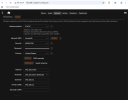
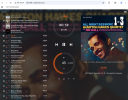
So, I'm still not getting the Static IP to work. Here are a couple of screen shots of the configuration page with the (working) DHCP config, and the (non-working) static IP configuration. What caught my eye is the text, in grey, below the "DHCP" and "STATIC" text. In the DHCP case, it displays the correct IP address. In the STATIC case the IP seems to be that of the Pi's hotspot. If that is really what is set up instead of the correct static IP, it isn't a surprise why it wouldn't work...
Is this unexpected behavior?
Thx.

 Thx.
Is this unexpected behavior?
Thx.
Why do we see two IP addresses in the config window?
Here's my thought:
When both a static address and DHCP are configured on the same interface, Linux can keep both addresses active at once, so the Pi ends up with 192.168.2.110 and 192.168.2.215 on wlan0. This can confuse routing and name resolution, and it can confuse the router’s client list, so connectivity may be flaky even though the UI shows “connected”.
Suggestion:
Pick one method for Wi‑Fi:
Either disable DHCP for that interface and use only the static 192.168.2.110 (and make sure the router’s DHCP pool does not include .110),
or Clear the static Wi‑Fi settings and let DHCP assign a single address.
After changing, reboot the Pi and router so the device appears with only one IP in the network page. This should resolve “connected but not working” symptoms.
Yes, that's where I started. One method for WiFi, static IP outside of the router's DHCP pool. It worked easily and reliably in version 9.4.3, but I haven't figured out why I'm having so much trouble with 10.02. WiFi seems to work fine with DHCP, but I do want a specific static IP for various reasons. That's what I can't get to work.Why do we see two IP addresses in the config window?
Here's my thought:
When both a static address and DHCP are configured on the same interface, Linux can keep both addresses active at once, so the Pi ends up with 192.168.2.110 and 192.168.2.215 on wlan0. This can confuse routing and name resolution, and it can confuse the router’s client list, so connectivity may be flaky even though the UI shows “connected”.
Suggestion:
Pick one method for Wi‑Fi:
Either disable DHCP for that interface and use only the static 192.168.2.110 (and make sure the router’s DHCP pool does not include .110),
or Clear the static Wi‑Fi settings and let DHCP assign a single address.
After changing, reboot the Pi and router so the device appears with only one IP in the network page. This should resolve “connected but not working” symptoms.
@dougm: OK, so you have two IP addresses on one interface. Now you want your webserver to respond the same way when accessed from both the addresses? IMO there is the problem - the web server binds to the other address and does not listen on the one you are accessing from. A change in this matter between versions could be possible as it's quite unique to have and likely not intentionally supported - the previous versions worked by coincidence for you. Just 2 cents...

5-pot-fan
Active Member
- Joined
- Nov 5, 2021
- Messages
- 119
- Likes
- 101
This may be irrelevant, but in the past when experiencing apparently similar issues, it has taken me time + a shutdown and re-start of all devices, and sometimes even a 'forget the connection' instruction to allow a new setting to take effect. This of course may be my fault for using Windows.
Sorry if these have already been tried!
Sorry if these have already been tried!
Similar threads
- Replies
- 14
- Views
- 2K
- Replies
- 0
- Views
- 596

- Replies
- 9
- Views
- 2K

- Replies
- 57
- Views
- 6K
