• Welcome to ASR. There are many reviews of audio hardware and expert members to help answer your questions. Click here to have your audio equipment measured for free!

How to connect everything together ?

madDog

Member
Joined
Jan 29, 2019
Messages
59
Likes
8
Hey guys. So i'm getting my fx audio dac x6 probably later this week, waiting for it to arrive and was wondering how to connect it to powered speakers. The speakers are mackie mr624. If someone knows of something better for around the same amount of money, please go ahead. If the headphones are not plugged in at the same time, does that mean i can control the volume for the speakers with the knob that controls the headphone volume ? Later i intend to use the x6 as dac only and probably buy something like jds atom for an amp. I don't know if thats a good combo. Does that mean i could switch my speakers from x6 to atom then ? If someone can provide a list of cables i would need in order to connect x6 to atom and to the speakers i would appreciate it. Im really not that knowledgeable on the topic. And yes i also intend to use my headphones with this setup incase anyone is wondering. Its gonna be like a 50/50 use case scenario.
 
I'm not familiar with the FX-Audio unit. I'd recommend the Topping DX3 for a DAC with headphone amp, but that unit doesn't seem to be the most reliable out there.

Since your Mackies have RCA inputs, and the DAC has RCA outputs, it's a simple matter to connect them together with RCA cables.

Also the FX-Audio unit's RCA output appears to be a fixed 2V, so you won't be able to use the volume knob to control the RCA output level.
 
What @NTomokawa says. Your problem here will be controlling the volume. You can add a preamp/headphone amp like the Atom, which would work well.

Other options would be swap your DAC for something else with an inbuilt volume control. The DX3 is a top-performing product, but if you're concerned about the possible reliability issues, I'd go with something like Behringer UMC202HD or Focusrite 2i2 or similar, i.e. something designed for the home pro market. These units also perform technically better than your current DAC.

In any case though, there are unlikely to be significant audible differences between most DACs, so I would choose mostly based on features and price.

The MR624s accept XLR, TRS and RCA inputs, which means they will be compatible with virtually any standard-output DAC/amp.
 
PS. you can always do digital volume control from your computer of course.
 
If for example i would add the atom and keep the x6. Would the setup be like this. X6-rca-atom-rca-mackies ? I know about audio interfaces, the problem is that they usually cant drive high impedence headphones properly. Like 250ohms and more... could i then control both my headphone and my monitors volume via atom's volume knob ? About controlling the volume in windows. That would basically mean set the windows volume level to 100% and control the volume through the application itself, like foobar, potplayer etc... right ?
 
If for example i would add the atom and keep the x6. Would the setup be like this. X6-rca-atom-rca-mackies ?

Exactly.

could i then control both my headphone and my monitors volume via atom's volume knob ?

Yes according to JDS Labs website. Others here actually have the unit and can hopefully confirm this is indeed how it works.

I know about audio interfaces, the problem is that they usually cant drive high impedence headphones properly. Like 250ohms and more...

Can be. Depends on the interface and the headphones. Which headphones are you using?

That would basically mean set the windows volume level to 100% and control the volume through the application itself, like foobar, potplayer etc... right ?

Exactly. Or use a bit-perfect driver (ASIO/Wasapi) that bypasses the Wiindows volume control. With a good program you won't lose any information doing it this way, but you'll have a higher noise floor compared to using an analogue volume control between the DAC and amp. The Mackie's require only 1.2V RMS on the balanced inputs to reach max output, but the input level can be controlled with a knob on the rear. In your case, I'd suggest turning that volume control to minimum and then doing any further attenuation in software (unless you find the minimum setting is too quiet, in which case you can turn it to whatever level gives you your desired max. output level when the digital volume is at 100%).

Andreas
 
Exactly.


Yes according to JDS Labs website. Others here actually have the unit and can hopefully confirm this is indeed how it works.


Can be. Depends on the interface and the headphones. Which headphones are you using?


Exactly. Or use a bit-perfect driver (ASIO/Wasapi) that bypasses the Wiindows volume control. With a good program you won't lose any information doing it this way, but you'll have a higher noise floor compared to using an analogue volume control between the DAC and amp. The Mackie's require only 1.2V RMS on the balanced inputs to reach max output, but the input level can be controlled with a knob on the rear. In your case, I'd suggest turning that volume control to minimum and then doing any further attenuation in software (unless you find the minimum setting is too quiet, in which case you can turn it to whatever level gives you your desired max. output level when the digital volume is at 100%).

Andreas

Tnx for the info Andreas, will buy the Atom in the feature. so i don't need to play with volume control in Windows. I intend to buy the dt880 250ohm version, or even 600 ohm. Right now i have hd598, but those are easy to drive...
 
Tnx for the info Andreas, will buy the Atom in the feature. so i don't need to play with volume control in Windows. I intend to buy the dt880 250ohm version, or even 600 ohm. Right now i have hd598, but those are easy to drive...

Yep, both those headphones will probably need more power than a typical budget audio interface can provide. The Atom will have plenty. Good luck with it all :)

A
 
Thank you for everything. What kind of setup do your run, just out of curiosity ? :)
 
Thank you for everything. What kind of setup do your run, just out of curiosity ? :)

I manufacture PA speakers so my setup consists of my own active PA speaker designs. In my studio I use a pair of 14" two-ways with 1" exit compression drivers and constant directivity horns, plus two 18" subs. The drivers are all from B&C, and the DSP units are manufcatured by ALLDSP with amps from Pascal. Not a very standard setup I guess :)
 
Damn man, i don't understand half of what you just said, but tnx for describing anyway :) Hey do you have your own website, where people can buy your stuff ?
 
Damn man, i don't understand half of what you just said, but tnx for describing anyway :) Hey do you have your own website, where people can buy your stuff ?

Not yet. Still prototyping at this stage, but it's coming :)

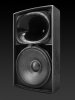
To put it another way, I use 2 x 18" subwoofers, and 2 main speakers, which each have a 14" woofer and a tweeter with a horn on it. I don't have pics of the final designs yet but the speakers look a bit like these similar models from lambda:
e3fca5ed21541d1f96aaca5b68268764c36e13e5-02tx-3-horn-open10x.jpeg

A
 
Do you plan on selling to international costumers or just US ? Please let me know if you do, when you set the whole thing up... Hey would this kind of cables work, and are they good enough ? Rca
 
Do you plan on selling to international costumers or just US ? Please let me know if you do, when you set the whole thing up... Hey would this kind of cables work, and are they good enough ? Rca

Those cables look fine to me. Generally, it's very hard to find any standard cable at any price that could possibly audibly degrade the sound, and I generally just use the cheapest cables that fit my purpose. There's a whole thread on this here though which is worth reading if you're interested. Other members have a way better understanding of these things than I do.

And I'm based in Germany actually :)
 
Oh that's good to know, i'm from Slovenia, so shipping shouldn't be a problem, if i ever decide to buy your stuff :)
 
fx/audio x6 dac path is good. headphone path cuts high freqs. but ye, it doesn't have pre-amp functionality.
 
fx/audio x6 dac path is good. headphone path cuts high freqs. but ye, it doesn't have pre-amp functionality.

When you say headphone path cuts high freqs, what is that suppose to mean. Explain it for a newb like me, please.
 
Back
Top Bottom