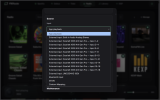
Sure! Here's a bit more detail on the two upmixers.
Fast is a low-latency adaptive matrix upmixer, somewhat similar in principle to traditional Pro Logic-style processing. It analyses the correlation and balance between the left and right channels. Correlated material is steered towards the center, while diffuse and out-of-phase information is extracted for the surround channels. Hard-panned sounds remain in their respective front channels.
Latency is only about 1.3 ms, making it suitable for applications where low latency matters.
HQ takes a different approach. It uses FFT-based spectral analysis, processing the stereo signal in individual frequency bins rather than treating it as a whole.
This allows it to distinguish between different signal components occurring simultaneously. For example, a centered voice can be extracted into the center speaker while a guitar remains in the left or right front channel and diffuse ambience is distributed to the surrounds.
It also distinguishes between side and rear speakers, directing more diffuse content towards the rears when both pairs are available.
The FFT size is selectable from 1024 to 8192, trading latency for frequency resolution. At 48 kHz, latency ranges from approximately 21 to 171 ms.
Both engines offer Center and Surround controls from 0 to 10. These adjust the strength of the extraction, not simply the output volume. Increasing the Center setting, for example, extracts more correlated material from the front channels.
Neither engine generates an artificial LFE channel. Bass management is handled separately by FXRoute.
And importantly, when actual multichannel audio is detected, the upmixer is automatically bypassed. So it can remain enabled even when switching between stereo and native surround sources.
I'm personally quite happy with the HQ results so far, particularly with dialogue stability and the extraction of ambient surround information. The Fast version is useful when latency matters, not bad at all either.
Regarding your Schiit SYN:
Yes, feeding its analog multichannel outputs into FXRoute through an 8-channel ADC/audio interface is exactly the kind of setup the new Custom Input Mapping feature was designed for.
You can actually explore this in the web demo:
https://cobbycode.github.io/fxroute/
Go to
Technical Settings → Source → Input → Custom Mapping…
There you can assign individual capture channels of your audio interface to the eight surround positions (FL, FR, Center, LFE, Side L/R and Rear L/R).
With Surround mode enabled, these channels are routed directly into FXRoute's multichannel DSP engine, bypassing the Dolby/DTS decoder and the stereo upmixers.
You can then apply FXRoute's DSP processing, including PEQ, convolution, room correction, bass management and flexible output routing.
The mapping is device-specific, so the only real requirement is that your ADC/interface exposes the necessary capture channels through PipeWire.
Regarding channel limits:
The native DSP engine currently supports up to
32 input and 32 output channels internally. This is a fixed compile-time capacity, not simply a CPU limitation.
However, that doesn't mean FXRoute currently accepts 32 independent surround programme channels. The supported surround input layout is up to
7.1 (8 discrete channels), whether coming from a multichannel decoder or an external interface through Custom Input Mapping.
The output side is more flexible because FXRoute separates logical speaker channels from physical output routing, including subwoofer and crossover configurations. The actual number of usable outputs depends on the configured layout and the connected audio hardware.
So your proposed 8-channel SYN setup fits within the currently supported architecture.
And if you'd like to experiment with the routing and DSP options first, the updated beta14 web demo should give you a pretty good idea of what's possible without having to install anything.