• Welcome to ASR. There are many reviews of audio hardware and expert members to help answer your questions. Click here to have your audio equipment measured for free!

Focusrite Scarlett 6i6 2nd gen measurements

And finally, what if I reduce the signal generator to -12dBFS and increase the volume knob to about 1 o'clock so that the levels match? Apparently nothing changes as well. So no worries about using up to 12dB of volume reduction in software that the outputs measure the same.

Before with multitone at full scale and volume at 10 o'clock.
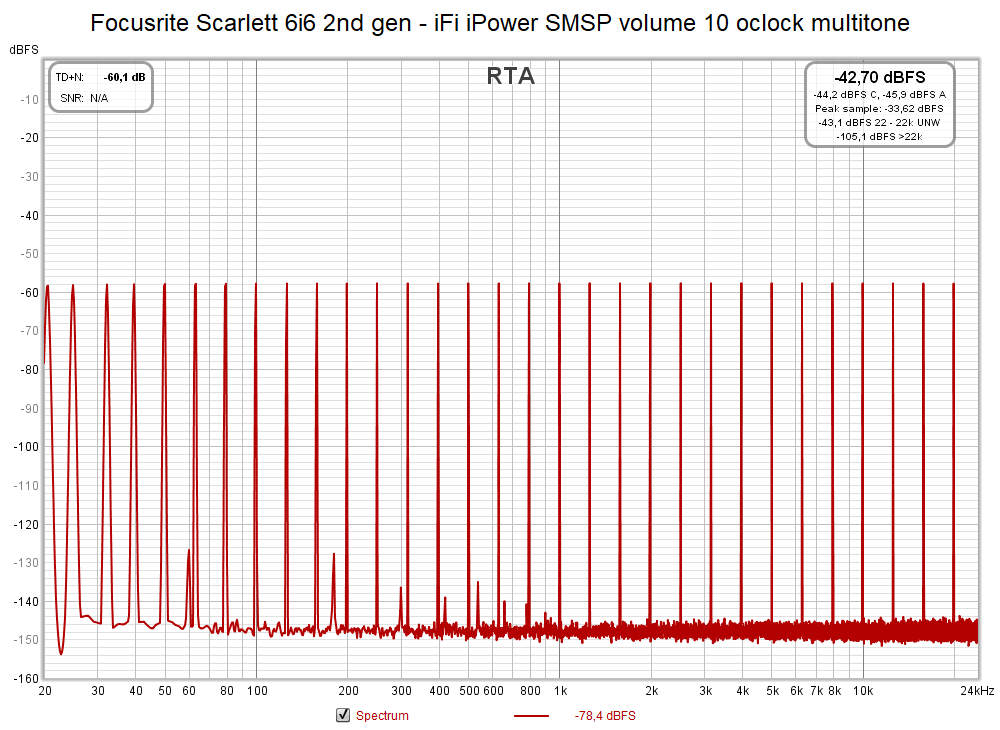
Focusrite Scarlett 6i6 2nd gen - iFi iPower SMSP volume 10 oclock multitone.png


After with multitone at -12dBFS and volume at 1 o'clock.
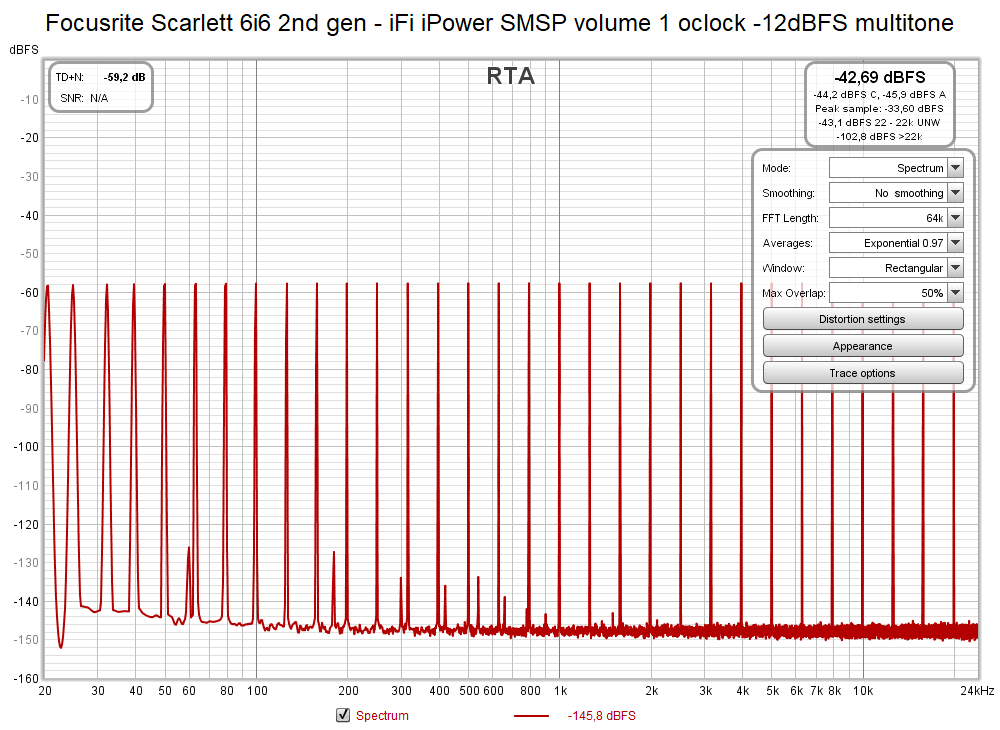
Focusrite Scarlett 6i6 2nd gen - iFi iPower SMSP volume 1 oclock -12dBFS multitone.png
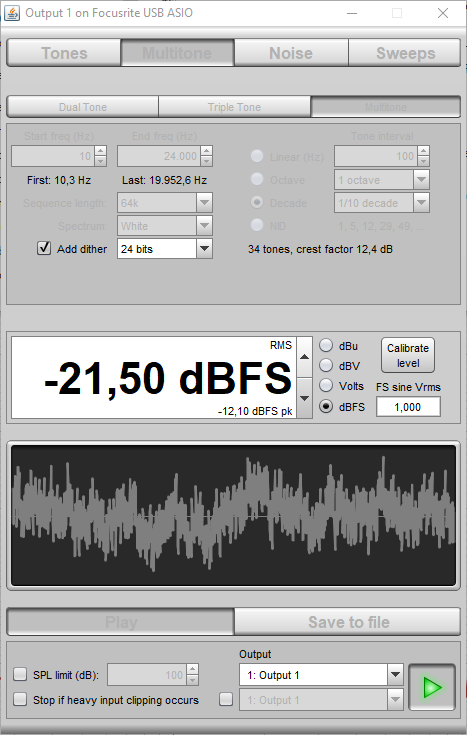
Multitone generator -12dBFS.png
 
I'd get a TRS cable when you get the chance.
 
Last edited:
Are you happy mate with the iFi iPower SMPS ? i seen a post from Amir in 2018 that it's make no difference with the stock psu
Makes no measured difference here too.
 
I am very impressed how much microphony picks up on an unbalanced cable. And here is a quite room. I can only imagine how much noise a guitar amplifiers picks from a guitar cable on a live concert! o_O

This is why I love a nice and sturdy XLR connector. If everything was soldered properly and housed without strains with decent reliefs, seems like it would cut down on nonsense of this kind. Going starquad configuration seems not only would reduce EMI, but with how thick those configurations usually, microphonics as well I'd imagine in my cozy little ignorant bubble.

I guess the stuff you've went through here lately is what Amir means when he talks about how he's surprised RCA has survived to this day and considers it a literally broken electrical "standard" or whatnot.
 
I am very impressed how much microphony picks up on an unbalanced cable. And here is a quite room. I can only imagine how much noise a guitar amplifiers picks from a guitar cable on a live concert! o_O
Tribolelectric noise can be a problem with high impedance sources. Was an issue when I used to use accelerometers on aero engine vibration testing. Shouldnt normally be too much of an issue with day to day domestic audio use.

However the unbalanced cables we manufacture do use Mogami 2524 which has an additional conductive PVC layer under the screen to minimise this noise.

1587734890369.png
 
Sorry disconsider noise captured by cable microphony I said earlier. It was my stupid mistake: I left a microphone connected. Literally. So there was the source of microphony. :)
 
Sorry disconsider noise captured by cable microphony I said earlier. It was my stupid mistake: I left a microphone connected. Literally. So there was the source of microphony. :)
You mean you had a microphonic microphone?
:)
 
You mean you had a microphonic microphone?
:)
Yes, it better be! Hahaha. Just to make sure people understand that microphony was due to an actual microphone, not the cable, and avoid any more misinformation.
 
I wish the main 1kHz signal was referenced as the 0dBFS and all others measured against it. How do I set this on REW? I could not find.

Open the SPL meter and there's a Calibrate button.

Make the right choices from those offerred and it can be done.

---

Get a tone going...
Open the SPL Meter
Click Calibrate
Do you have a file - no
Set to "0"

and the RTA SPL will be 0dB, and the -dB will be correct.

Arbitrary and unknown actual tone level set to 0dB:

Tone is looped at the Focusrite.

1587749745925.png


For other measures than SPL - I don't know.
 
Last edited:
For other measures than SPL - I don't know.
My problem is (was) that when saving an SPL measurement from the RTA the SPL & Phase window shows some arbitrary number as peak level for a 0 dBFS signal in RTA, and not 0 dB. This is surely because I haven't done any calibration for SPL because I do not use a microphone in the first place for measuring distortion of electronics.

The only way to get rid of this is to add a corresponding SPL offset in the Controls dialog, see here:
Screenshot_20200424_212957.png
 
Just select dBc the y-axis in the menu that pops up. Then all plots will be with peak at 0db...
Play with input and/or output level for optimum result
 
Hi @Matias ,

Thanks for your effort.

May i ask a question; which SMPS is better according to your measurements.

When i check the graphs, standart smps has slightly lower noise floor between 50-200hz, right?
 
I am totally new to doing loopback measurements in REW, this is my first try, so please correct me if there is a better way to do this.

Basic question - do you use ASIO drivers in REW? If not, REW with Java works only in 16-bit resolution and this highly worsens the noise and thus THD+N results.
 
I thought it meant "C weighted".

No, you will get fundamental at 0dB. The distortion window in top left shows all the distortion components, just when you choose dBc the fundamental amplitude will be shifted to 0dB.
 
This was 1 year ago, I hardly remember what I did back then, only the embarrassing mistake. :D

May i ask a question; which SMPS is better according to your measurements.

When i check the graphs, standart smps has slightly lower noise floor between 50-200hz, right?
Your analysis is as good as mine. I did not see any significant difference in measured performance when I look at these graphs.

Basic question - do you use ASIO drivers in REW? If not, REW with Java works only in 16-bit resolution and this highly worsens the noise and thus THD+N results.
Yes, as shown in the first post, 3rd print, top left.
 
@JohnPM by the way my graphs are so much easier to read because I manually set the graph to red instead of the default black and white I see used around a lot. If I may suggest please use bright colors as default for these measurements. Thanks! :)
 
Back
Top Bottom